Partyline hosts your events now. Send one text with what, when and where, and Partyline makes the event page, texts you a link to share, and takes the RSVPs. When plans change, text the change or edit the page on your laptop, and Partyline tells everyone who's coming.
Hosting is a lot of small jobs: the invite, the headcount, the group chat when the time moves. We built this so the host does the fun part and Partyline does the rest.
Start with one text
Text Partyline the way you'd tell a friend: “I'm hosting a supper club on my roof next Thursday at 7:30! 41 Bond St.” Partyline makes the page in the same conversation and texts you the link, with a preview of the cover. Tap it and you see exactly what your guests see. If the name, time or place is missing, Partyline asks for it, and the first time you host it asks what name to show your guests.
Changes work the same way. Text “make it 8 and let everyone know,” and it's done: the page moves to 8 and everyone who's coming gets a text.
Host by text
Today 2:30 PM
I'm hosting a supper club on my roof next Thursday at 7:30! 41 Bond St 🌇
Read 2:30 PM
Love it! Your page is ready 🎉 Share this link with your friends
Rooftop Supper Club
partyline.space
Partyline ›
iMessage
partyline.space
9:41
One text, and the page is ready. Tap the link to see what your guests see.
A page your guests open on their phone
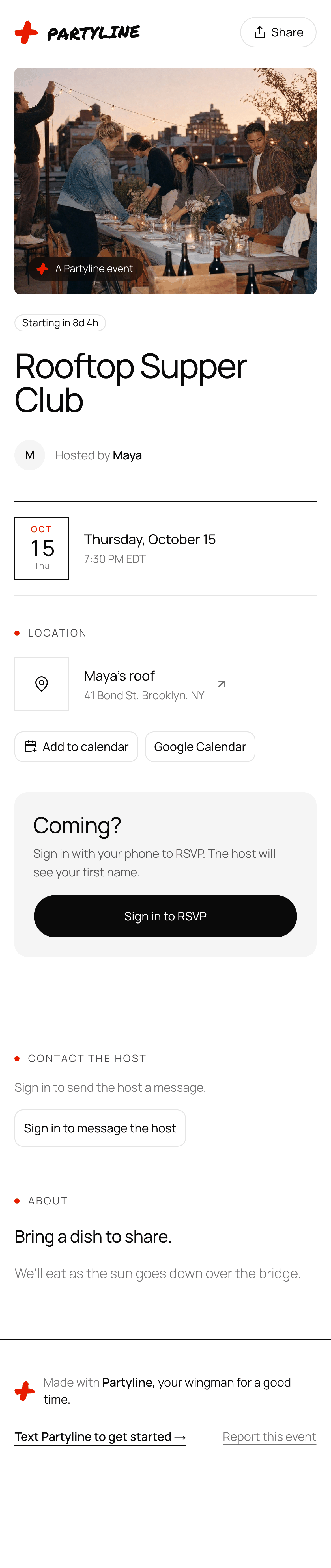
Guests open your event from the link you share. The link carries your name and the event's, like partyline.space/maya/rooftop-supper-club, and a public event shows a real preview with its cover photo when you paste it into a thread.
The page has the host, the date and time with a countdown, the place on a map, Add to calendar and Google Calendar buttons, and what you wrote about the night. For the cover, send Partyline a photo, upload one, or have Partyline make one.
What guests see
partyline.space
9:41
A signed-in guest on their phone: the RSVP card, who's going, and a way to message the host.
Guests RSVP on the page with their phone number, or by texting the link to Partyline. You see the name they give, never their number. Each guest chooses whether other guests see them on the guest list, cancels from the page if plans change, and gets a reminder the day before.
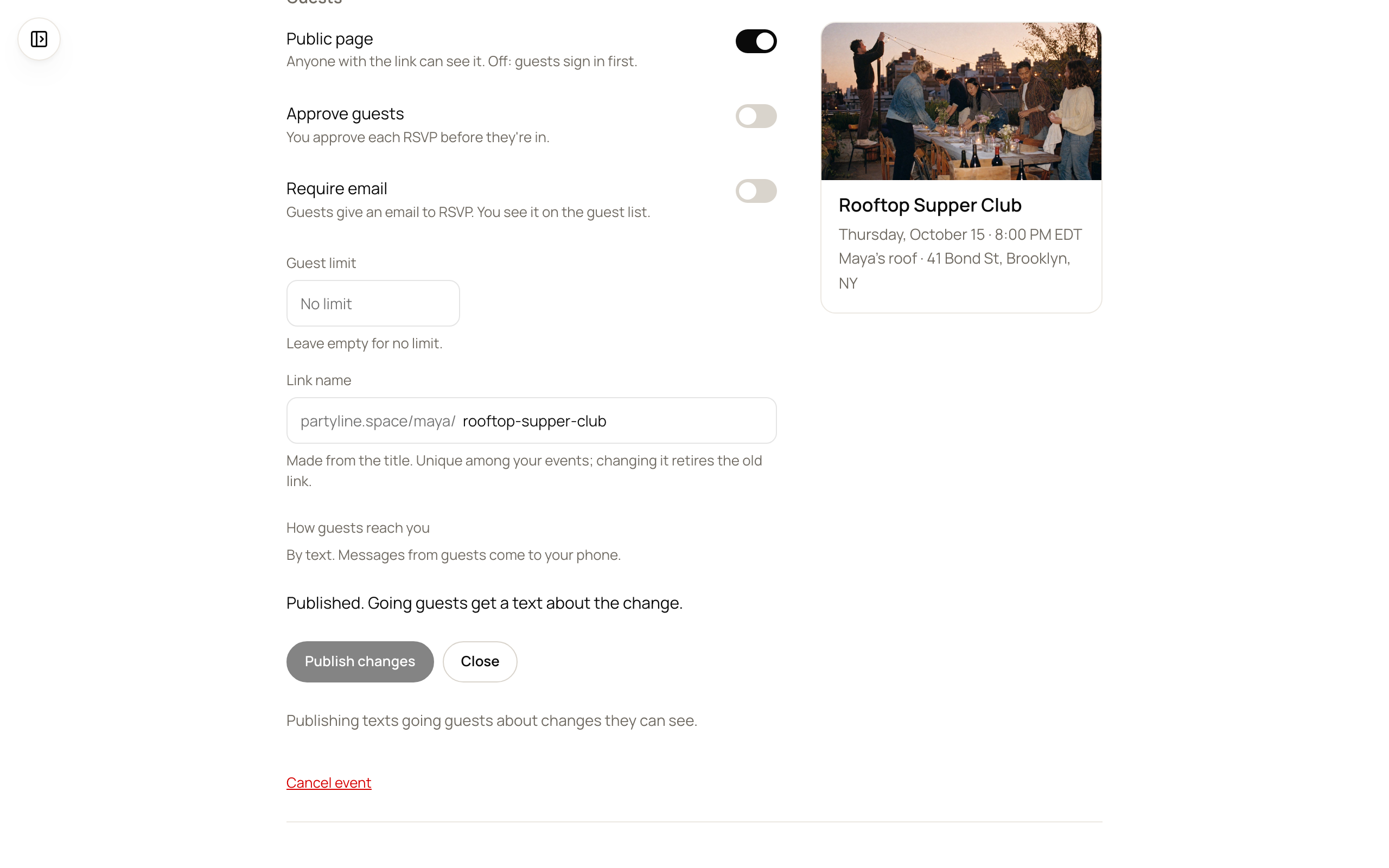
Public or private. A public page is open to anyone with the link; a private one asks guests to sign in first.
A guest limit. RSVPs close when the event is full.
Approve guests. Each RSVP waits for your yes, and the guest gets a text when they're in.
Require email. Guests give an email to RSVP, and you see it on the guest list.
Co-hosts. Bring in friends to help run it.
Edit it on your laptop
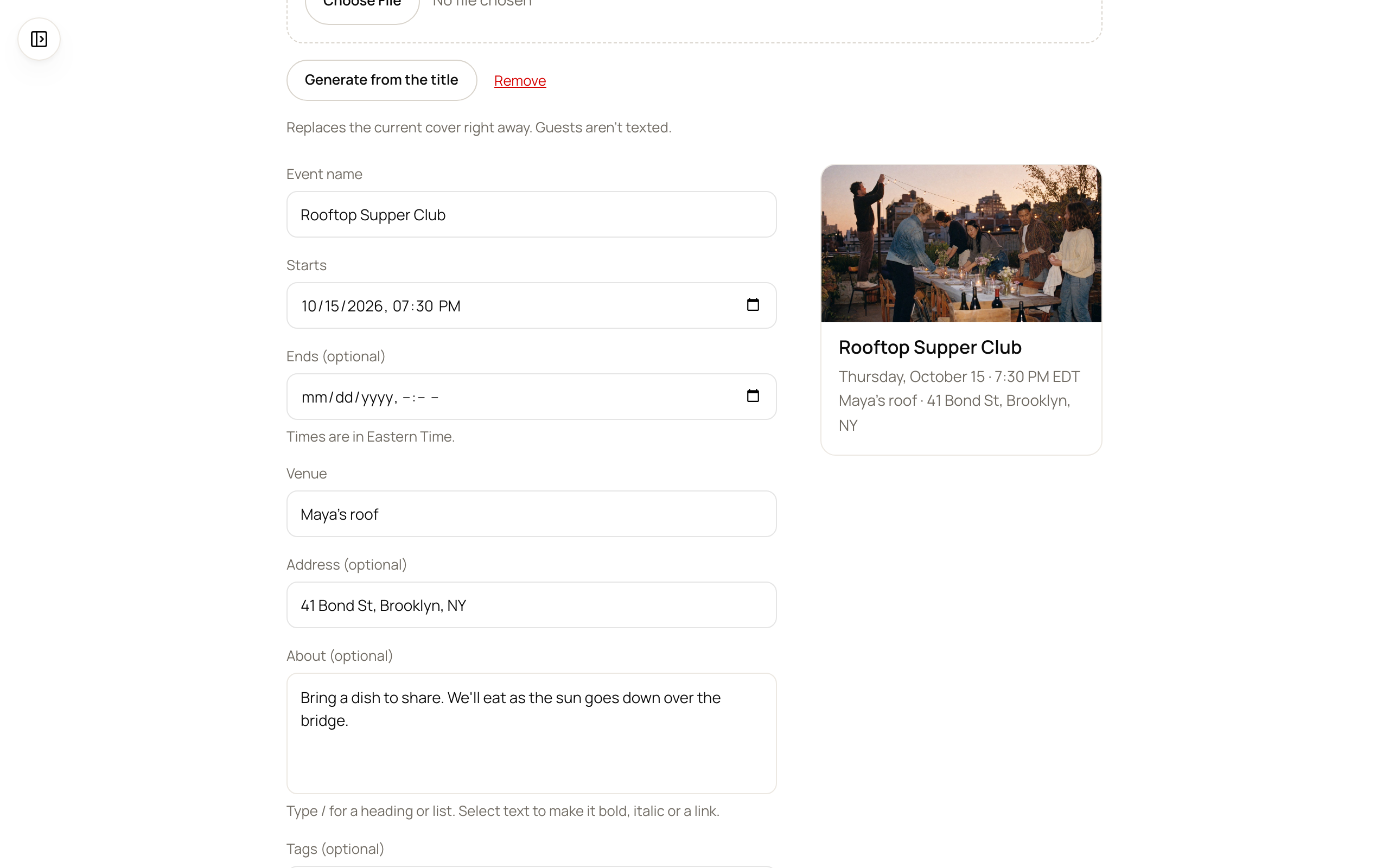
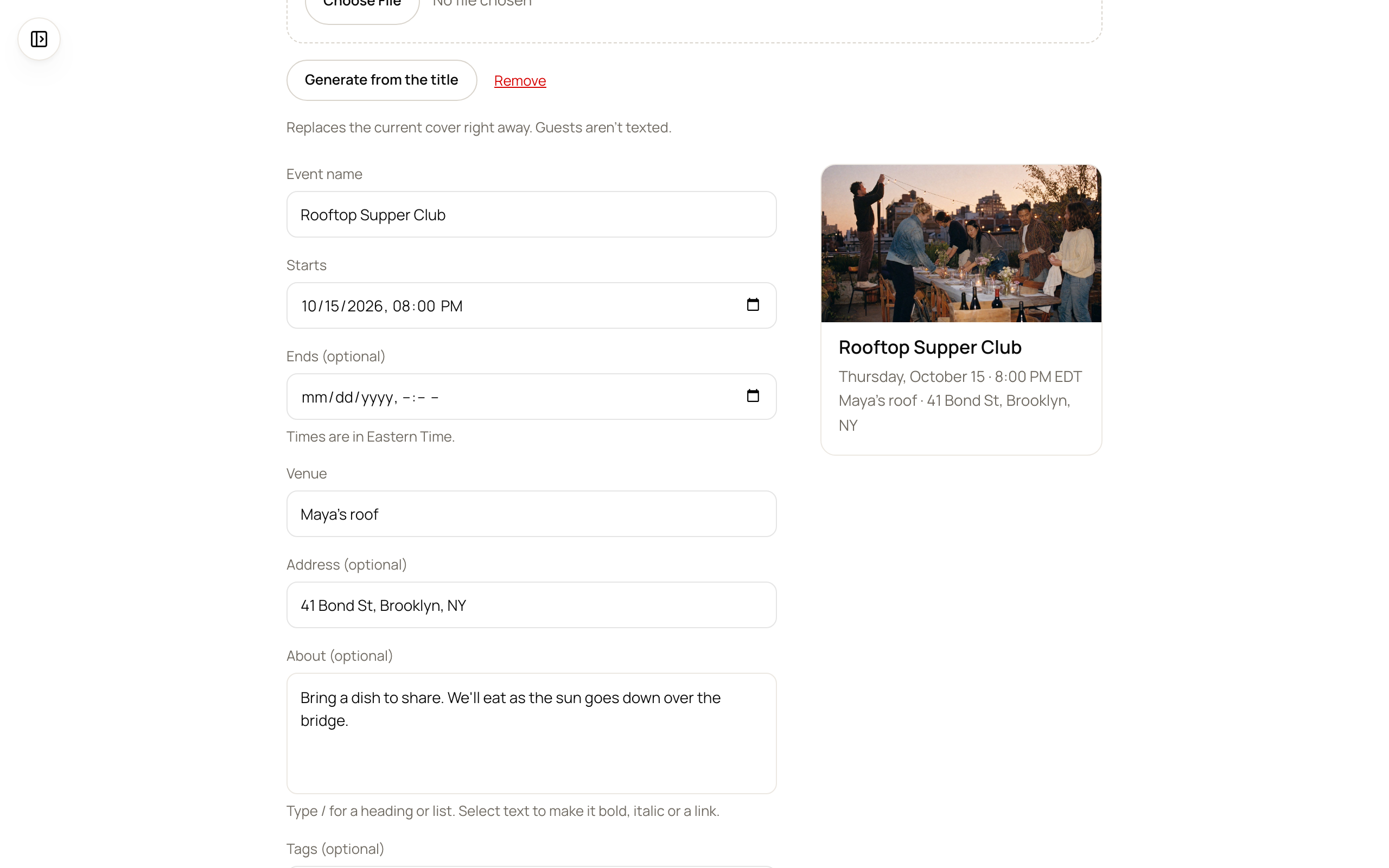
Some changes are easier on a big screen. Open My events at app.partyline.space and pick the event. The form sits beside a live preview of the page, so you see what guests will see as you type. Change the time or the place, choose Publish changes, and Partyline texts the guests who are going. Call the event off and they hear that too, with a note from you if you want to add one.
Edit on a laptop
app.partyline.space/events/mine
The host's editor: change the time, the preview updates, and publishing texts the guests who are going.
Run the night from one place
The event's page in My events shows who's going and how many spots are left. From there:
Publish what guests should know before they come, and Partyline texts them.
Text your guests an announcement or a question.
Keep a list of what people are bringing, so the potluck doesn't end up as six bags of chips.
Ask Partyline to watch the weather for an outdoor event. It checks the forecast 48, 24 and 6 hours before and texts you if it turns.
See who has checked in, print the guest list or download it as a spreadsheet.
Hosting your next one? Text Partyline and it makes the page. The full guide is on the hosting page (checked October 7, 2026).
Questions and answers
How do I host an event on Partyline?
Text Partyline what, when and where, for example “I'm hosting a supper club on my roof next Thursday at 7:30! 41 Bond St.” Partyline makes the event page in the same conversation and texts you the link to share.
How do I edit my event?
Text Partyline the change, like “make it 8 and let everyone know.” Or open My events at app.partyline.space, where the form sits beside a live preview of the page, and choose Publish changes. When the time or the place changes, Partyline texts the guests who are going.
How do guests RSVP?
On the event page with their phone number, or by texting the link to Partyline. The host sees the name a guest gives, never their phone number.
Do my guests need an app?
No. The event page opens in any browser, and Partyline works over text.