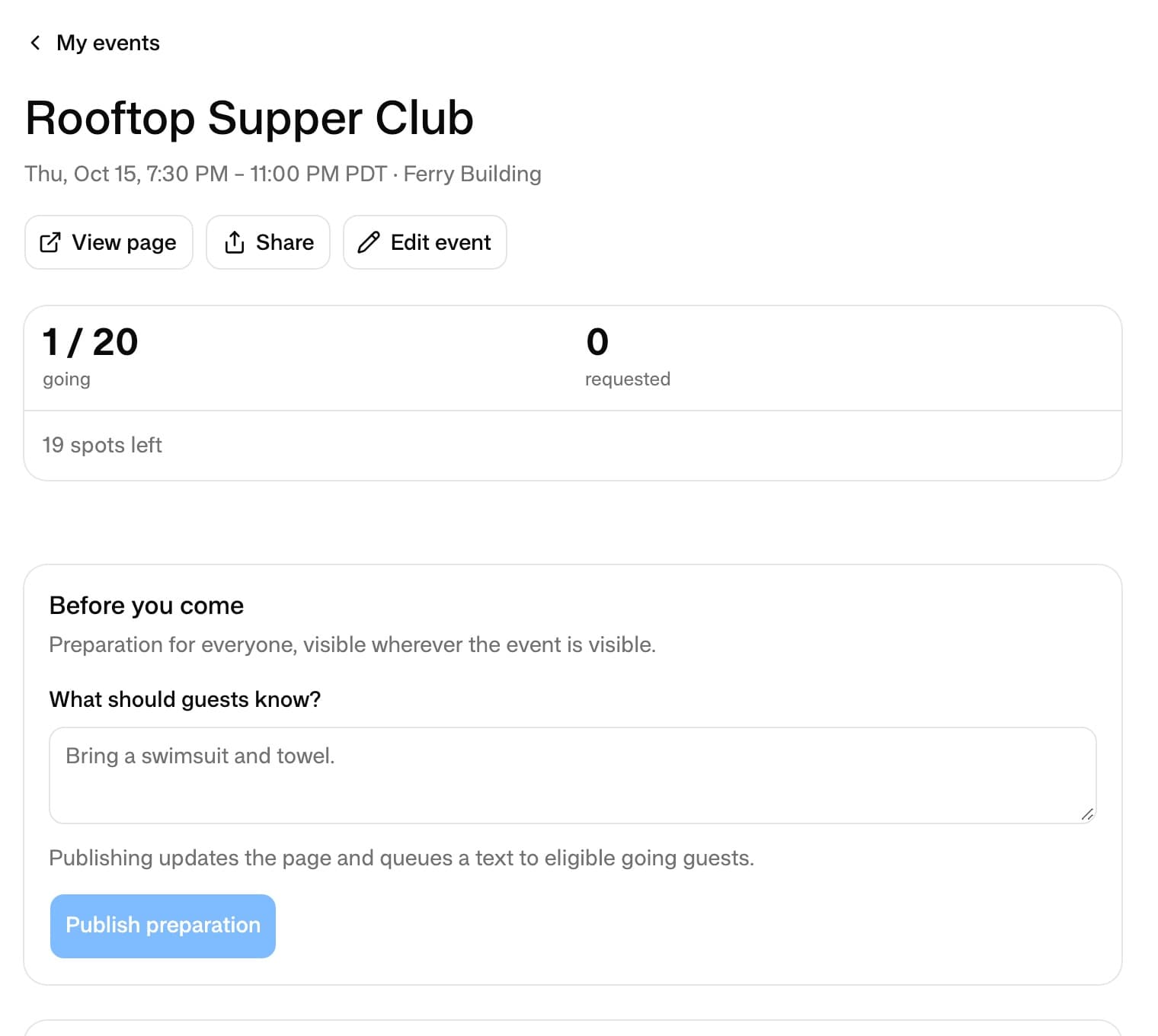
Tell Partyline you're hosting. It makes the event page, sends you a link to share, takes the RSVPs and keeps everyone who's coming up to date. You never fill in a form unless you want to.
Start with one text
Text Partyline what, when and where: “I'm hosting a supper club on the roof next Thursday at 7:30.” It creates the page in the same conversation and texts you the link. If the name, time or place is missing, it asks for it. The first time you host, it also asks what name to show your guests.
Prefer a screen? Open My events at app.partyline.space and choose New event. The form shows a live preview of the page as you type.
A page worth sharing
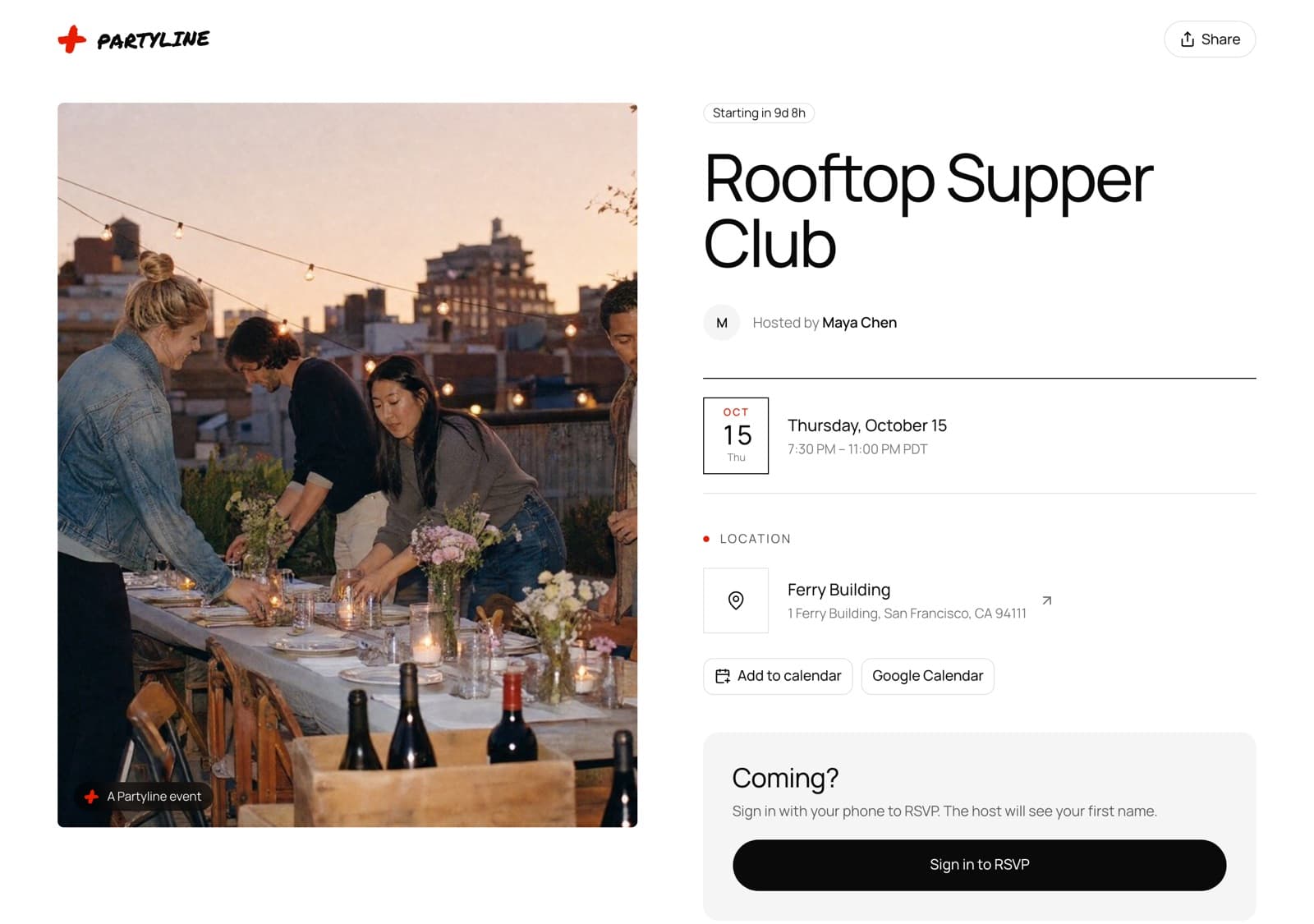
Every event gets a page with the host, the date and time with a countdown, the place with a map of the address, Add to calendar and Google Calendar buttons, and what you wrote about the night. For the cover, send Partyline a photo, upload one, or have Partyline make one.
The link carries your name and the event's, like partyline.space/maya/rooftop-supper-club. A public event's link shows a real preview with the cover photo when you paste it into a text or a group chat.
RSVPs with a phone number
Guests RSVP on the page with their phone number, or by texting the link to Partyline. You see the name they give, never their phone number. Guests choose whether other guests see them on the guest list, can cancel from the page, and get a reminder the day before.
- Public or private. A public page is open to anyone with the link; a private one asks guests to sign in first.
- A guest limit. RSVPs close when the event is full.
- Approve guests. Each RSVP waits for your yes, and the guest gets a text when they're in.
- Require email. Guests give an email to RSVP, and you see it on the guest list.
- Co-hosts. Bring in friends to help run the event.